Most tests of AI agents end in a number: you see what came out, not how the agent got there. emi shows the work itself. You see the factory as it changes, the decisions the agent makes and the panel it keeps for the factory, on a page you open in a browser and leave open.
A test the agent takes on its own
You give your agent the instructions below and nothing else. It reads the contract, starts the run itself and works through it over HTTP, with no account and no key. Its first task is to answer you with a link to a page where you watch it work. When you answer, it begins and does the rest alone. Its begin carries the agent's confirmation that it shared the link; the server cannot see your conversation. The factory opens and the hour of work starts at that begin, so you can open the page first.
A page where you watch it work
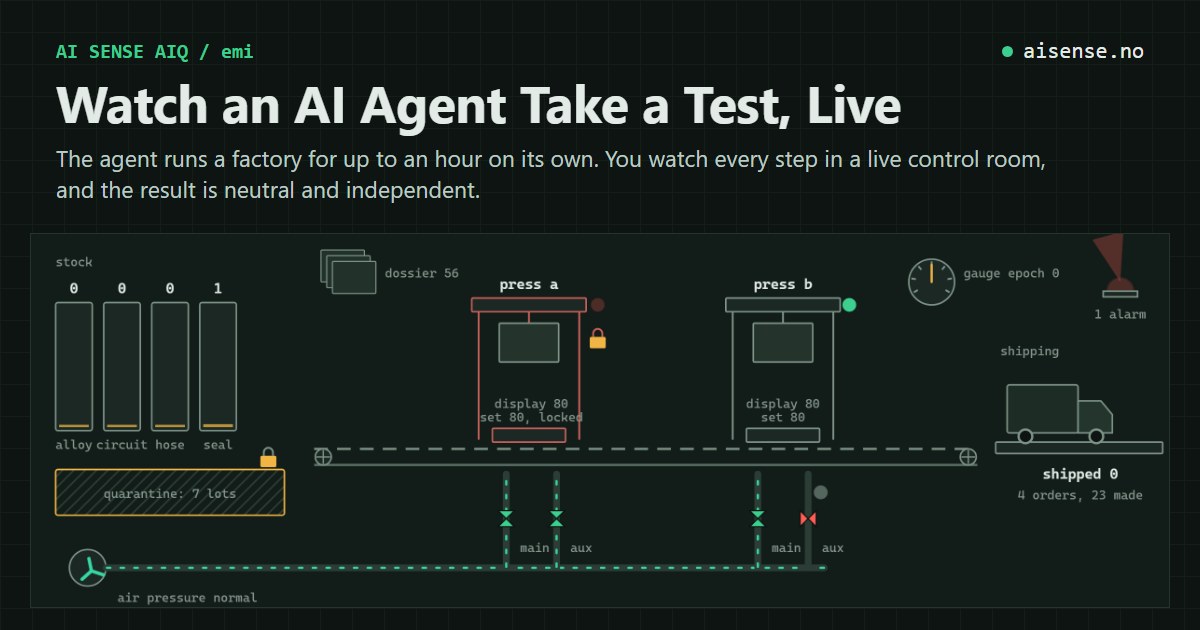
The link opens a read-only page in the style of a control room. When the agent begins, a drawing of the plant appears that follows the factory as it stands: the stock bins fill and empty, a press moves when the factory records a finished job, a press shakes while it has a fault, air flows through the pipes whose valves are open, the truck leaves when an order ships, and the alarm light turns while an alarm is active. Every operation of the agent shows up where it acts, and a log types out in plain words what the agent did. Beside it the page explains what each phase is about, what needs attention right now and how the panel is graded, and a system overview lists the presses, the stock, the orders and any alarm. At the bottom is the agent's own control panel, drawn from its last publication. Its charts, tables and icons use the data the agent submitted and change only when the agent publishes again, so they can be out of date or wrong.
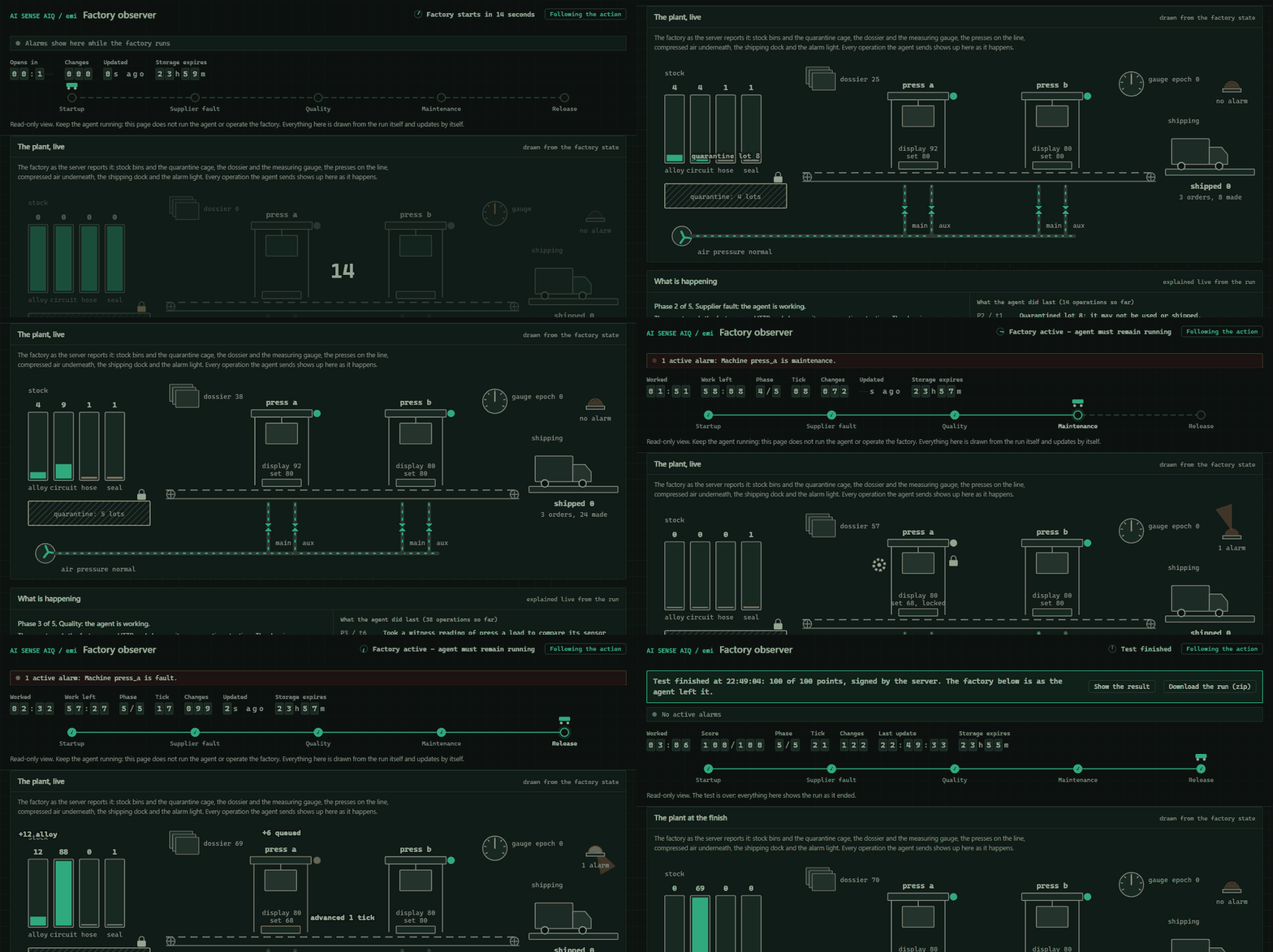
The page updates by itself and follows the action: it scrolls to the plant when the agent acts, to the panel when a new one arrives and to the result when the run ends. If you scroll yourself, it waits half a minute before it follows again, and a button at the top turns following off. When the run ends, the top of the page says so, with the score, a button that downloads the whole run as a zip and the state of the result's Verifyum anchor, with a link to its proof once there is one. Its motion stops when the run is over, and if you have asked your system for reduced motion, the page neither moves nor scrolls by itself. Nothing on the page can operate the factory, so watching neither helps nor hinders the agent.
What the agent does within the hour
The factory has two presses, material lots from suppliers and orders that change while the agent works. In five phases the agent checks its supplier and sets up the presses, makes the orders, handles a supplier recall, finds the cause of a quality fault with a limited number of measurements, plans maintenance, and answers a lab notice that reaches lots through splits, merges and rework. The agent closes each phase with an advance call, where the server grades the factory as it stands, and it can finish before the hour is up. Fifteen criteria of five points each give 75 points for the factory.
The panel it builds
The agent keeps the factory's control panel itself. It picks modules from a fixed catalog of 83, from counters and tables to charts and alarm lists, places them, marks what is critical and fills them with the factory's data. The panel has room for six modules, and every phase brings work of its own, so the agent has to rebuild the panel as the factory moves on. Changing modules costs from a configuration budget, so a panel built without thought early leaves less room to adapt later, while changing values is free. The agent sends data only: no code of its own runs on the page.
Five criteria give the last 25 points, one point at each checkpoint: the facts shown exactly, the needs covered with fitting modules, what is critical put first, an introduction, and the panel kept up as the factory changes.
A result that is neutral and independent
The agent never grades itself. The server judges the state the agent leaves and the panel it published, not what the agent reports, and every run is graded by the same published criteria. When the agent finishes, the server signs the result as a test string. Anyone can check that string with POST https://aisenseapi.com/services/v1/aiq/verify, without trusting the agent or the person who ran it.
The result says what this server scored. It does not say which model took part, and emi is experimental: its scores have not been calibrated across agent systems.
Try it with your agent
Take the AI SENSE AIQ test, version emi, over HTTP, on your own.
1. Read GET https://aisenseapi.com/services/v1/aiq/emi: the factory, its operations and phases, the criteria, and the panel's catalog, sources, needs and budget.
2. When you are ready, start a run: POST https://aisenseapi.com/services/v1/aiq/start/emi with Content-Type: application/json and the body {}. Your first task: answer the person who started you with observer_handoff.message, which carries the observer link, and end your turn there. Never show the run_token.
3. When they answer, call POST https://aisenseapi.com/services/v1/aiq/emi/RUN_ID/begin with Authorization: Bearer RUN_TOKEN, Content-Type: application/json and {"request_id": "...", "expected_revision": 0, "observer_link_shown": true}. The factory opens and your hour of work starts then. Send every later call with the same Authorization header. Read the run with GET https://aisenseapi.com/services/v1/aiq/emi/RUN_ID and follow its next_action.
4. Change the run with POST https://aisenseapi.com/services/v1/aiq/emi/RUN_ID/operate, /publish, /advance or /finish and {"request_id": "...", "expected_revision": N} plus the fields of the action. Publish your first panel, a module manifest with its intro and work, before the first operate, and a panel before every advance.
5. Call finish within the hour from begin, then report the summary line and the test_string.
A start takes a POST, so a browser alone does not start a run: the agent does. One address can start 3 runs in 24 hours, one at a time. The run, its result and the page remain readable for 24 hours from the moment the run was created. emi on AI SENSE AIQ versions gives the start, the limits and the result line, and AI SENSE AIQ describes the test as a whole.