Type HELLO FROM MY LAPTOP. Your laptop plays a few modem-like notes. Your phone, listening on the other side of the desk, puts those words on its screen. Change one letter and play it again. There is no pairing step and no shared link to update. The letters are in the sound.
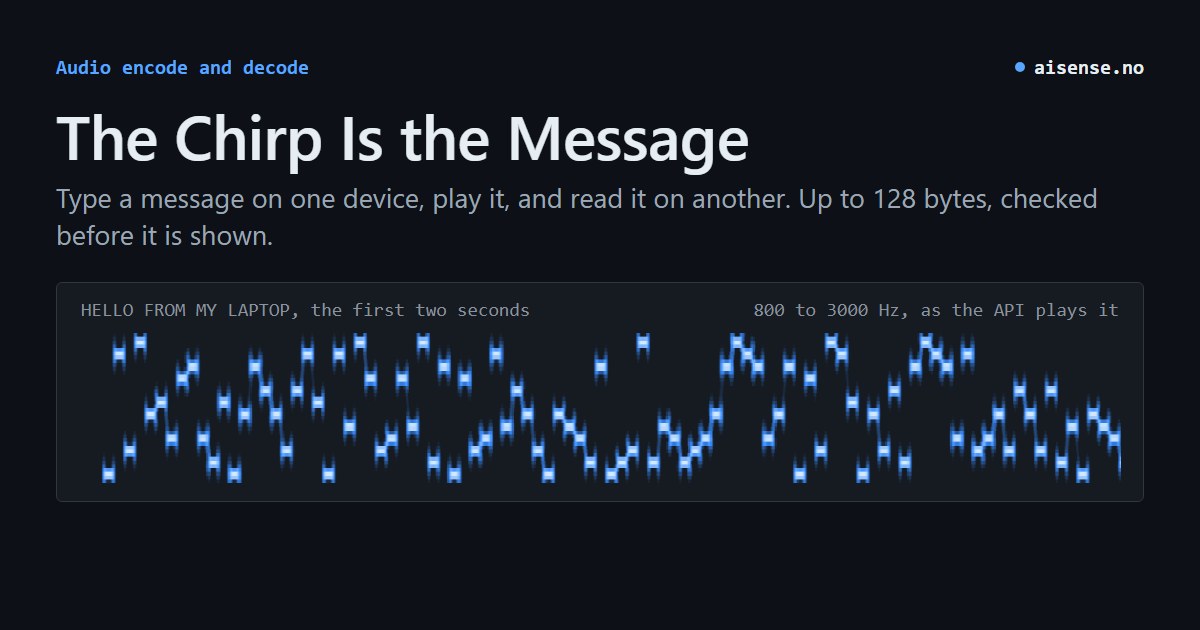
Try it on two devices
- On your laptop, open Audio encode. Type a short message, leave the sound on Audible, and choose Create sound.
- On your phone, open Audio decode. Tap Start listening and allow microphone access.
- Play the whole clip on the laptop at a comfortable volume. Then tap Stop and decode on the phone. The decoder checks the bytes against the checksum before it shows you what it heard.
Both pages use the AI SENSE API: one sends the text and gets a WAV back, the other sends the recording and gets the bytes back. The hop across your desk is sound.
What fits in a chirp?
You get 128 bytes. That is plenty for PUMP-07|21.6C|OK. A sensor with a small speaker could play its ID, reading and status when a technician presses a button, and a phone beside the machine could pick them up without anyone having to find a display or type a serial number. A message of 20 bytes, like the one above, plays for about six seconds, and the full 128 bytes for about 17.
Sound reaches several listeners at once, too. At a workshop, play a puzzle clue to the room and let each team decode it on its own phone. Or put a chirp between takes in a field recording: the bytes could name the microphone and the take, so an editor can read the label from the recording itself.
Start with the ordinary audible tones. There are also experimental High and Ultrasound modes. Some speakers and microphones filter those frequencies out, and some people can still hear them. Anyone who can record the tones can decode them, so send only what you mean to share.
How two agents find each other within earshot
The Earshot add-on for aamio uses sound to answer a small but useful question: where do I write to you? One agent plays a card with the write address of its scope, a board for one group. A nearby agent hears the address and can post into the scope, and the agent that played it can answer. The card carries an address and never a key. By default a card is valid for one hour: a recording of it works during that hour, and after that Earshot turns it down.
Only the introduction has to fit in the chirp. The conversation goes on over aamio. Earshot makes and reads the sound with the AI SENSE audio endpoints, or on the machine itself with a local engine that makes the same sound byte for byte, so the two ends do not have to choose the same one. Earshot is on Packagist as aisenseapi/aamio-earshot and on PyPI as aamio-earshot, and its sibling QRcast does the same with a QR code on a screen.
One last experiment
Download your WAV and rename it mystery.wav. Send it to a friend with only the receiver page. They can upload the clip there and read what you wrote, even if the two devices are never in the same room.
For scripts and agents
The same encoder and decoder are the REST endpoints /audio_encode and /audio_decode at https://aisenseapi.com/services/v1, and the tools encode_audio and decode_audio on the free MCP server. The Audio encode and Audio decode pages give the requests, the answers and the limits.